



For retail chains
Google review management for retail chains: the last review decides.
A customer does not average your 40 stores. They read the three reviews for the shop they are standing outside of. Locationes gives head office and regional managers the same view of those reviews, the profile gaps behind them and the local searches that bring people in.
Last updated:
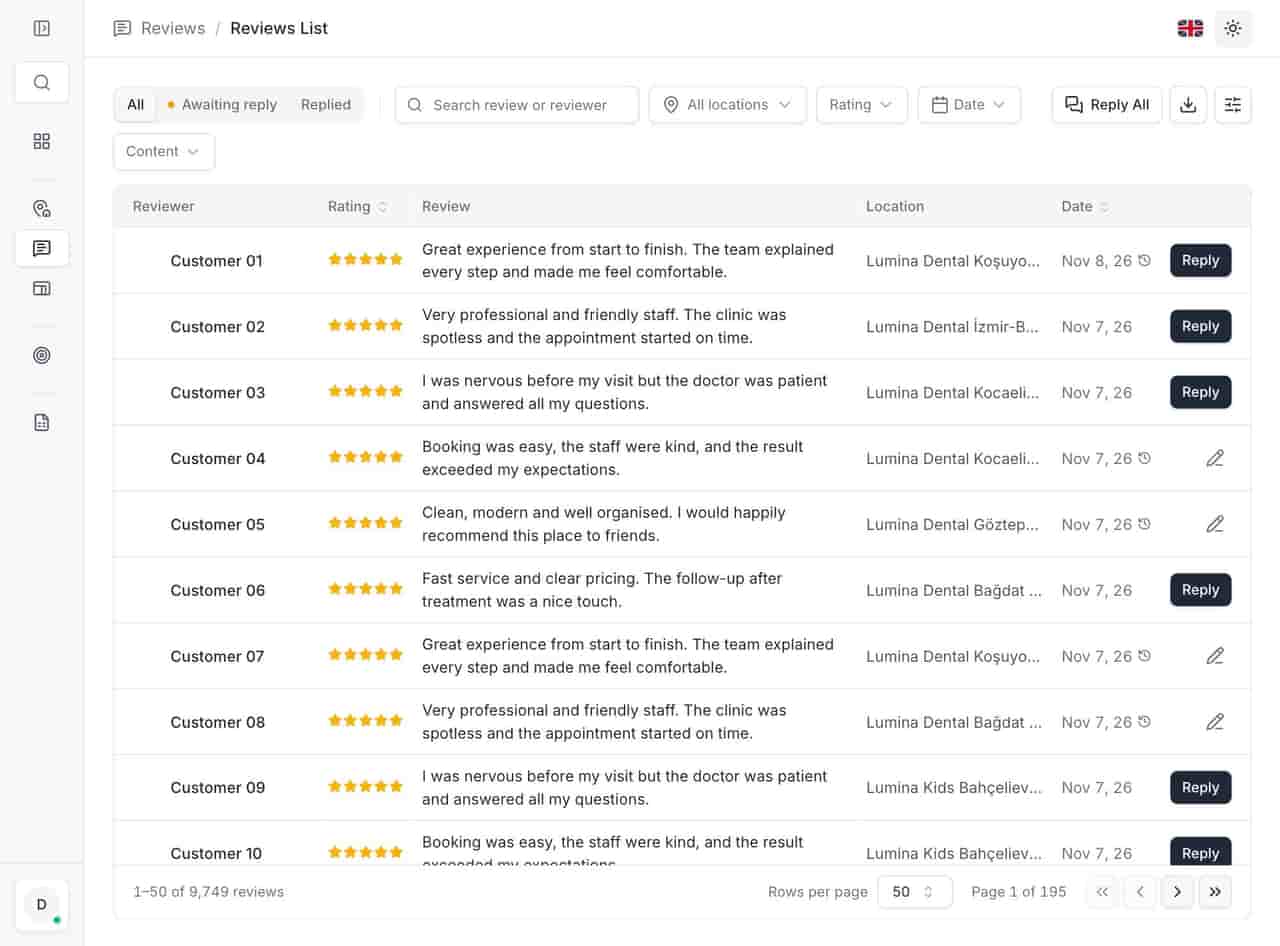
- Reply queue
- Store list searchable by code.
- Hours
- Bulk updates across regions.
- Profiles
- Negatives first in the queue.
- Visibility
- A profile score with a fix per gap.
The problem
Retail groups usually have the data and none of the overview.
Reviews sit in whichever Google account the store manager inherited. A relocation leaves the old listing live for months. Seasonal hours are updated store by store, so one region is always a week late. And the complaints that repeat — queue times, parking, a product out of stock — never reach the person who could fix them, because nobody reads 400 reviews a month across 40 stores. The cost is not the star rating.
It is the customer who checks the map, sees an unanswered complaint from nine days ago, and drives to the next shop.
What it does
Three jobs, in your sector's language.
No generic feature list. The parts of the product that matter when the queue is long and the hours differ.
- Reviews
-
One list for every store, with store codes.
Search by name, code or city, filter by region and category, and bulk-update the fields that changed — hours, description, services — instead of opening 40 profiles one at a time.
- Profiles
-
A review queue ordered by risk.
Unanswered negative reviews come first, and each one links to its store and its profile. Templates and translation keep replies consistent without making them sound copied, and bulk reply clears the post-holiday backlog.
- Visibility
-
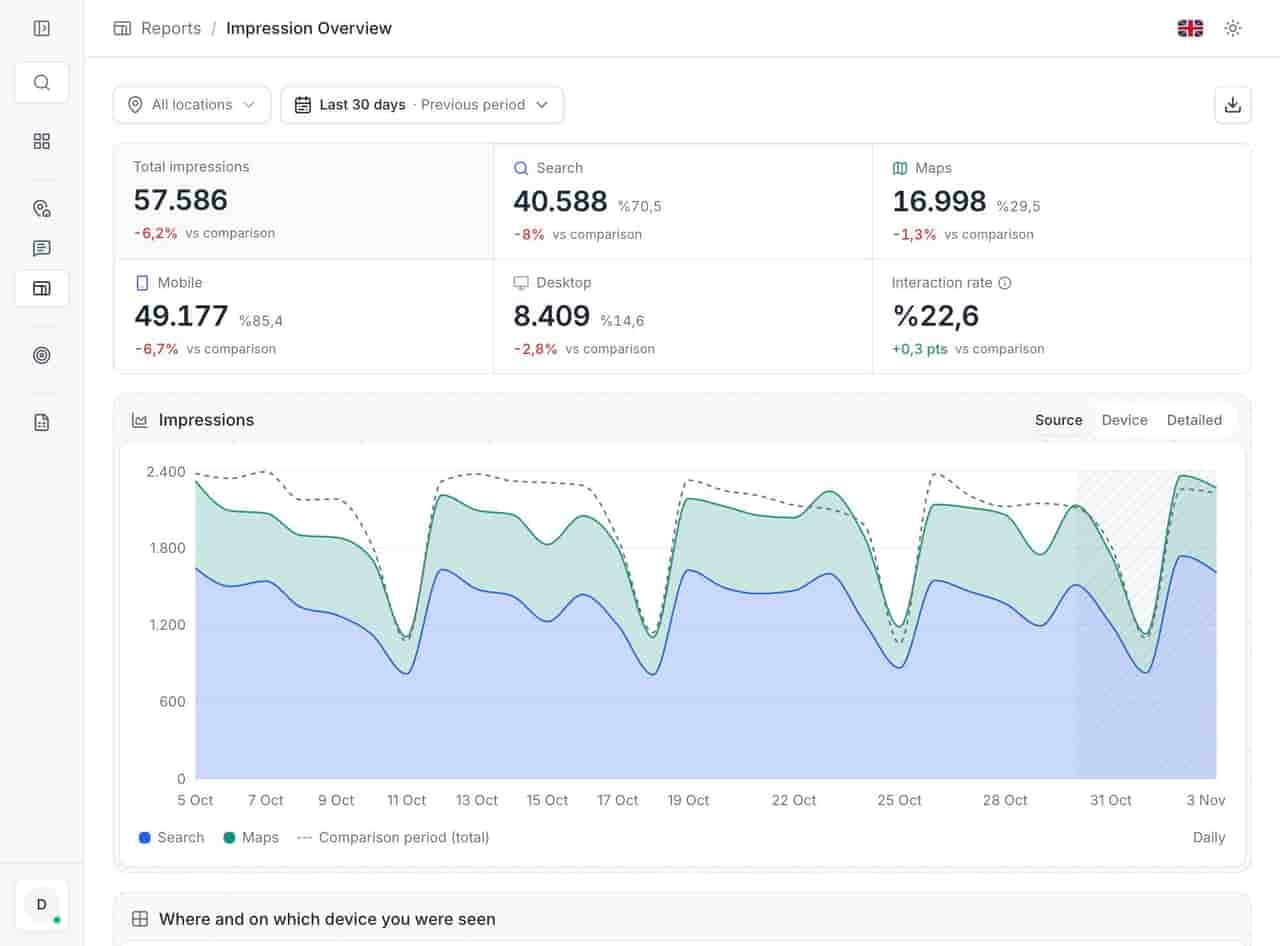
A profile score with fixes, not a percentage.
Each store is scored across ten checks — cover photo, description length, hours, services, unanswered reviews — and every missing point has a direct action. Filling them is the difference between a listing that ranks and one that exists.
Example scenario
Example scenario
Illustrative example, not a customer story.
A 40-store fashion chain runs three regions. On Monday the marketing coordinator opens the action list: eleven unanswered negative reviews, concentrated in two stores that share a mall; four stores where Google flagged a profile edit; and one location that collected a cluster of 5-star reviews on a single afternoon. She routes the review replies to the two regional managers, opens the profile fixes herself, and flags the 5-star cluster for the store's area manager — Google often removes reviews that arrive that way, and a spike can hurt more than it helps.
Before the seasonal sale, she updates opening hours for all 40 stores in one bulk action, then checks the profile score to confirm the stores that were missing service listings now have them. The monthly review comparison goes to the board with one definition of "new review" and one date range, which ends the argument about whose numbers are right.
- Unanswered negatives
- 24
- In two supplier-linked branches
- 9
- Hours edits flagged by Google
- 1
- Branches on late-night hours
- 14
Figures belong to the example above.
Related
Related pages
Features, sectors and reading that share the same work.
See it with your own locations
We will walk through your estate, your review volume and your current workflow.