



Locations
Manage every Google Business location from one list
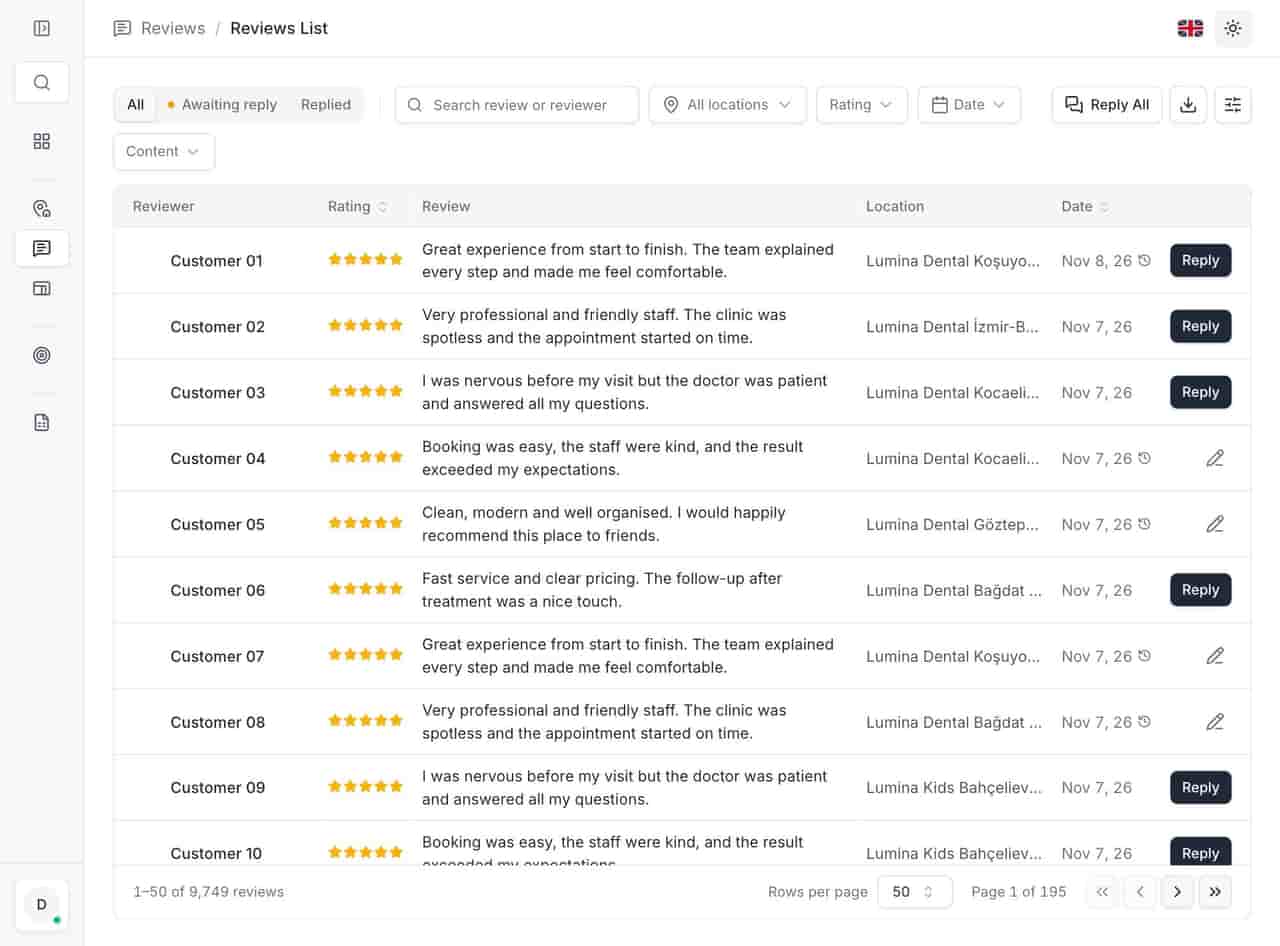
Locationes treats your Google Business Profiles as one estate: one table, your store codes, your regions, and a bulk action for the change that affects thirty stores. Reviews, reports and alerts read from the same location record.
Last updated:
What is multi-location management in Locationes?
Multi-location management turns separate Google Business Profiles into one portfolio. Each location gets a record with your store code, region, category and status, and the same search, filtering, bulk editing and export applies across all of them — without re-creating anything inside Google.
- Locations in one workspace
- 23
- Reviews tracked across them
- 9,749
- Share of reviews answered
- 99.4%
From the anonymized 23-location demo account, November 2026. Not a customer result.
What you get
- Search by name, store code or city — the three ways people refer to a store.
- Filter by region and category, so a regional manager sees their own estate.
- Select the locations that share the change, not all of them by default.
- Update hours, description, services and the fields you keep consistent.
01See every location at once
See every location at once
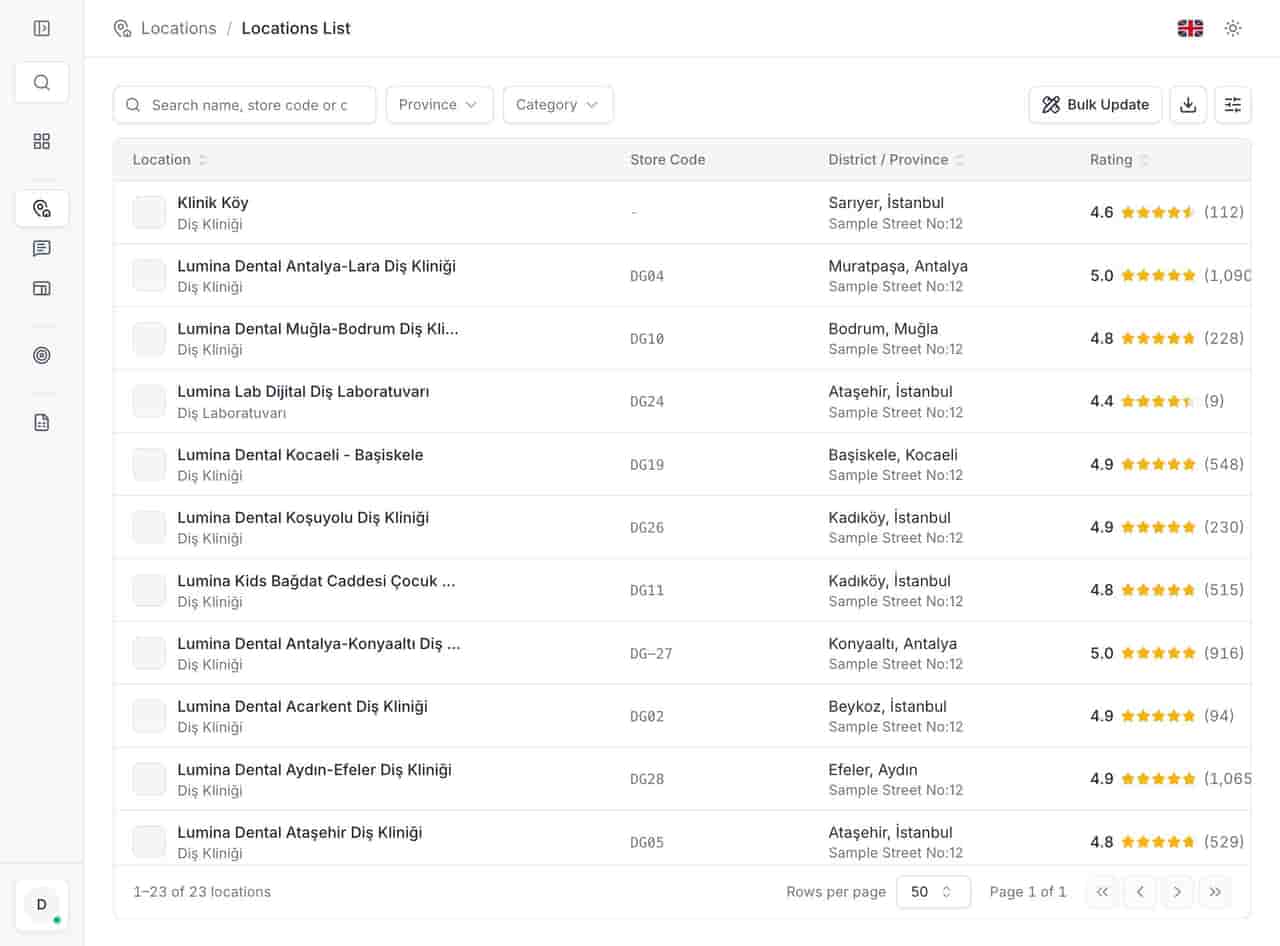
The list is the spine of the product. Each row carries the location name and type, your store code, district and city, the star rating with review count, the phone number and whether the location is open. Search works on name, store code or city; filters narrow by region and category.
- Search by name, store code or city — the three ways people refer to a store. - Filter by region and category, so a regional manager sees their own estate.
- Search by name, store code or city — the three ways people refer to a store.
- Filter by region and category, so a regional manager sees their own estate. ../assets/screenshots/locations-list-en.jpg — Alt: "Location list showing name, store code, district and city, star rating with review count, phone and open or closed status."
02Change many locations in one action
Change many locations in one action
Most updates are not local decisions. Holiday hours, a new service line, a corrected description — they arrive from head office and apply to a group of stores. Bulk update applies them once, instead of thirty repetitions.
- Select the locations that share the change, not all of them by default. - Update hours, description, services and the fields you keep consistent. - Run the audit afterwards to catch stores where it did not land.
- Select the locations that share the change, not all of them by default.
- Update hours, description, services and the fields you keep consistent.
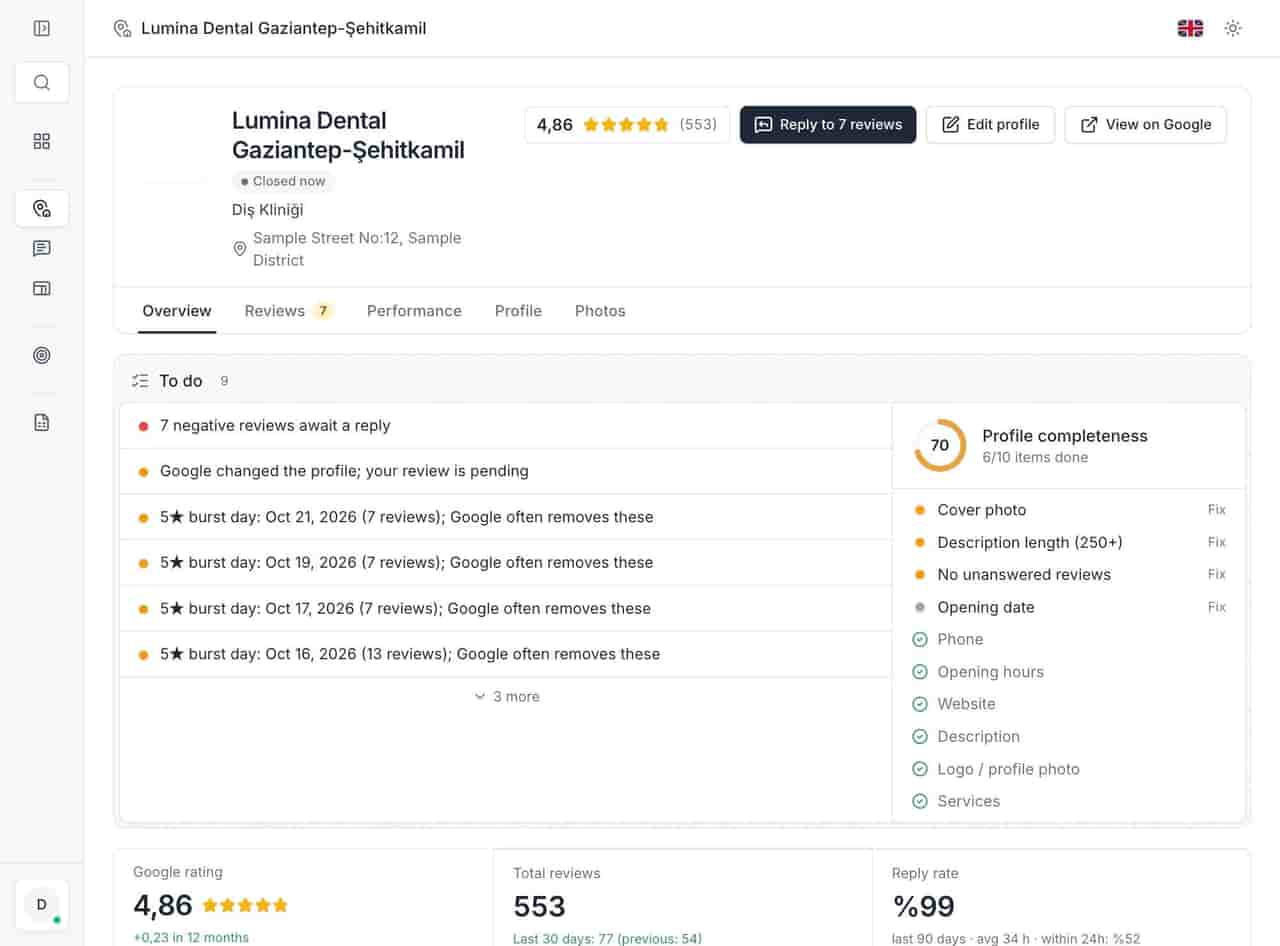
- Run the audit afterwards to catch stores where it did not land. ../assets/screenshots/location-detail-en.jpg — Alt: "Location detail with open status, address, rating, profile score, action list and tabs for overview, reviews, performance, profile and photos."
03Keep access and export straight
Keep access and export straight
A location list is also a permissions problem. Head office needs everything, a regional manager needs twelve stores, an agency needs one client's locations. Access is managed per user, and the list exports to Excel.
- Per-user access, so each manager works inside their own region. - The same list, filtered differently, for every role. - Excel export, with large files queued and downloaded when ready. ../assets/screenshots/locations-list-en.jpg — Alt: "Filtered location list, the view a regional manager works from."
- Per-user access, so each manager works inside their own region.
- The same list, filtered differently, for every role.
- Excel export, with large files queued and downloaded when ready. ../assets/screenshots/locations-list-en.jpg — Alt: "Filtered location list, the view a regional manager works from."
Related
Related pages
Features, sectors and reading that share the same work.
FAQ
Multi-location management questions
What is a store code, and why does it matter?
Your internal identifier for a location — the number finance, logistics or the POS already uses. Keeping it next to the Google profile means "update 1042 and 1043" needs no translation between naming systems.
How many locations can one workspace hold?
Portfolios from a handful to several hundred. Pricing is per location with tiers to 101+, and custom terms above 500. The pricing page shows the next band.
What can be updated in bulk?
Profile-level fields that repeat: opening hours, description, services and the details you keep consistent. Photos and reviews stay per location, because they are inherently local.
Can we export the location list?
Yes, to Excel. Large exports go through a request queue: prepared in the background, downloaded when ready, with a history of previous files.
Start with the queue you already have.
Connect one Google account and open the unanswered tab. Three days is enough to see whether the backlog is smaller on Monday.