



Reviews and reputation
Google review management and replies in one inbox
Every review from every location arrives in one queue, sorted so the unanswered ones come first. Reply with a template, translate in place, or clear a backlog in one action — each reply publishes under the right location, written by a person.
Last updated:
What is review management and replies in Locationes?
One inbox for all the Google reviews your locations receive. It shows each review with its location, rating, date and text, filters to what still needs an answer, and publishes replies to Google under the correct listing — with a 4,000-character limit, templates, in-place translation and bulk actions.
- Reviews handled in one workspace
- 9,749
- Share answered
- 99.4%
- Average time to answer a negative review
- 6.2 days
From the anonymized 23-location demo account, November 2026. Not a customer result.
What you get
- Tabs for all, unanswered and answered, so the backlog is a view.
- Filters by location, rating, date and text.
- Each row carries the location, so a reply is never misattributed.
- Choose a template, then edit the parts that must be personal.
01One inbox for every location
One inbox for every location
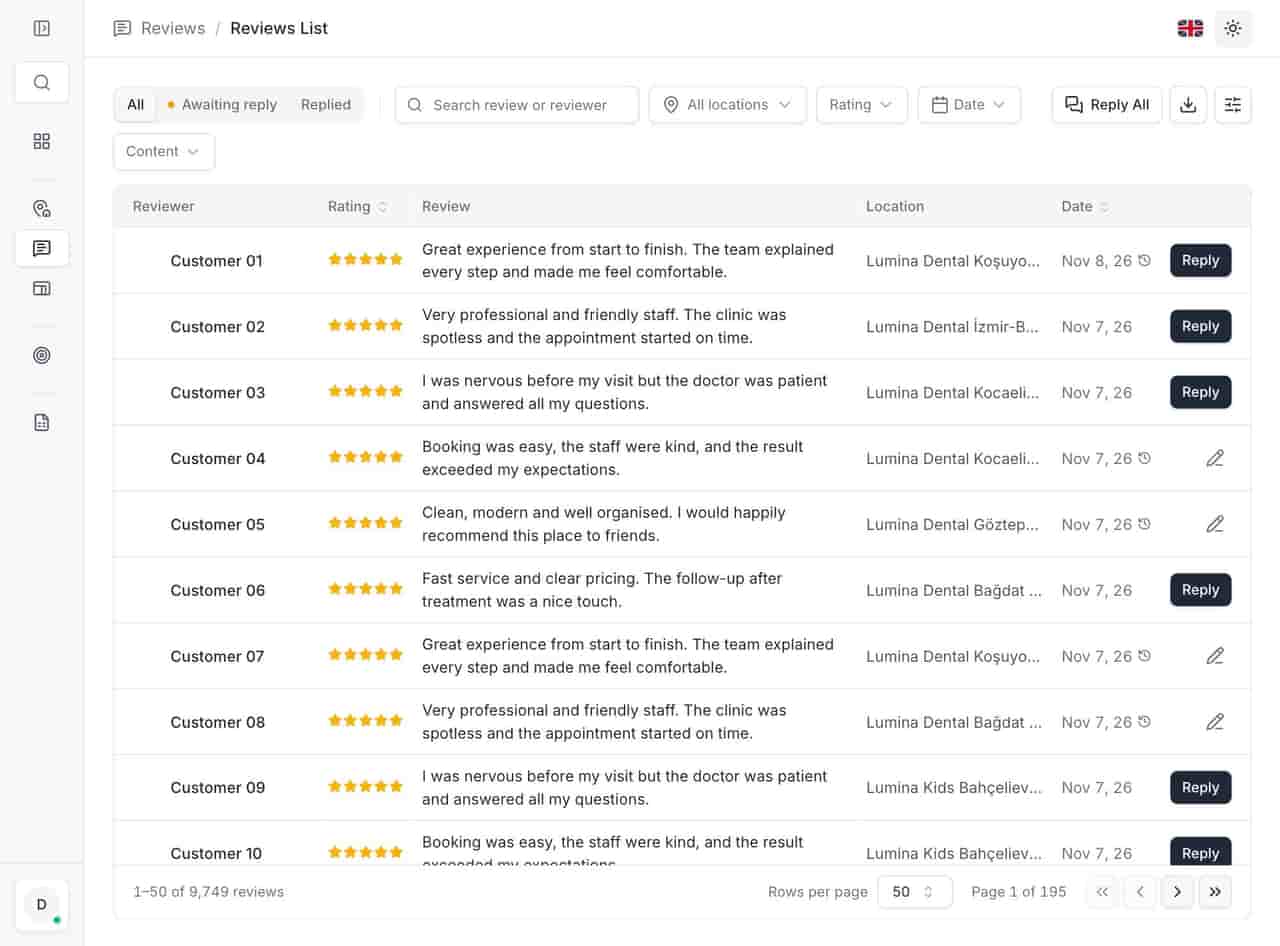
The list is deliberately boring: reviewer, stars, text, location, date, action. Tabs split all reviews, unanswered and answered; filters narrow by location, rating, date and text. At 9,749 reviews the work is not reading everything — it is trusting a queue that puts the right twenty in front of you.
- Tabs for all, unanswered and answered, so the backlog is a view. - Filters by location, rating, date and text. - Each row carries the location, so a reply is never misattributed.
- Tabs for all, unanswered and answered, so the backlog is a view.
- Filters by location, rating, date and text.
- Each row carries the location, so a reply is never misattributed. ../assets/screenshots/reviews-en-light.jpg — Alt: "Review inbox with tabs, filters and columns for reviewer, rating, text, location and date."
02Reply without leaving the review
Reply without leaving the review
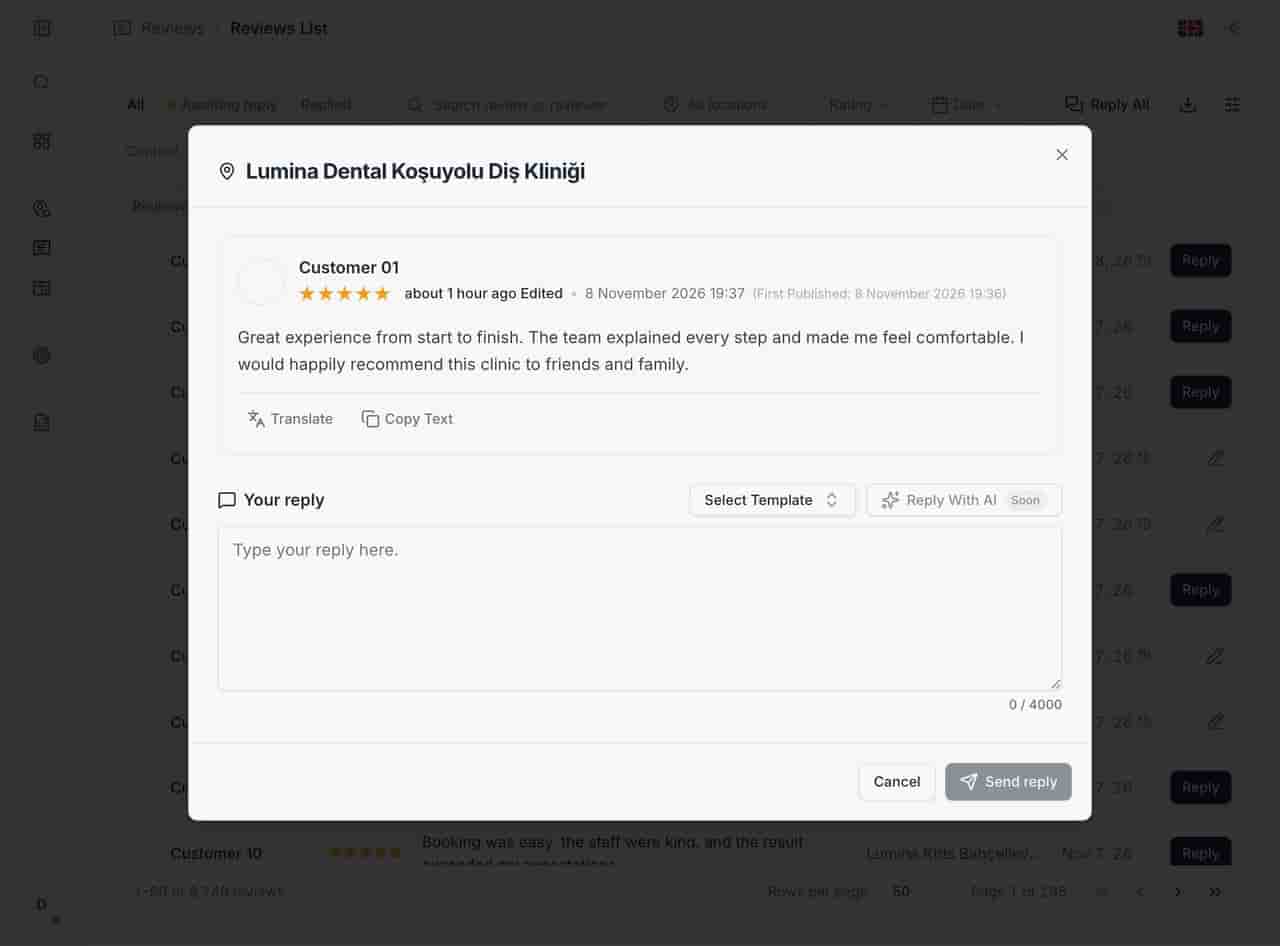
The reply window keeps the review visible while you write. Templates fill the routine parts, translation makes a foreign-language review readable, and the counter shows Google's 4,000-character limit. Bulk reply exists for the week after a holiday; it still publishes each answer under its own location.
- Choose a template, then edit the parts that must be personal. - Translate the review in place when the language is not yours. - Send individually or in bulk, always location-correct.
- Choose a template, then edit the parts that must be personal.
- Translate the review in place when the language is not yours.
- Send individually or in bulk, always location-correct. ../assets/screenshots/reply-modal-en-light.jpg — Alt: "Reply window with the review, a translate action, template selection, copy text and a 4,000-character counter."
03Keep a record of what disappears
Keep a record of what disappears
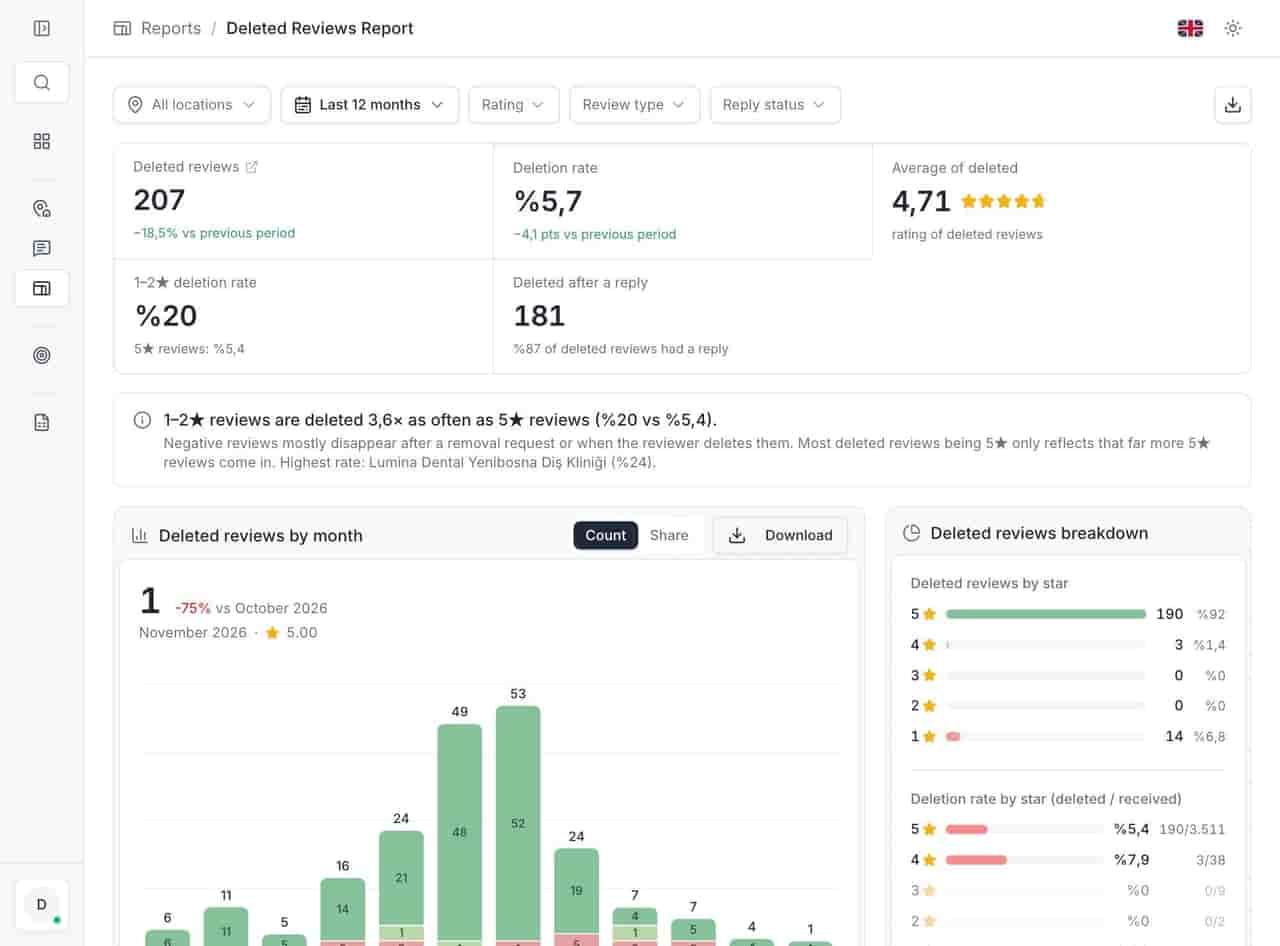
Reviews do not stay put. Locationes archives them from the first day and marks the ones Google later removes, so a deleted complaint is still a dated record with its original text. Nothing is restored — only Google can do that — but nothing is lost.
- Every review archived from day one. - Removals detected and kept with their rating and date. - A removal report that shows the rate by star rating.
- Every review archived from day one.
- Removals detected and kept with their rating and date.
- A removal report that shows the rate by star rating. ../assets/screenshots/report-deleted-reviews-en.jpg — Alt: "Deleted reviews report showing removal count and rate with a star rating breakdown."
Related
Related pages
Features, sectors and reading that share the same work.
FAQ
Review management & replies questions
Can we reply to Google reviews from Locationes?
Yes. The reply is written in the app and published under the correct location, with Google's 4,000-character limit. You do not need the Google dashboard open in another tab.
Can several people reply at the same time?
Yes, with access controlled per user: a branch manager works on their own location while head office sees everything. The unanswered tab is the shared to-do list.
Is the translation automatic?
The reply window shows a translation on request, so the review is readable before anyone answers. It is a reading aid — the reply should be in the customer's language, and someone should check the tone.
Does Locationes write replies with AI?
Not yet. AI-assisted drafts are in development and described as upcoming. Today the help is templates, translation, copy-text and bulk actions, all reviewable before publishing.
Start with the queue you already have.
Connect one Google account and open the unanswered tab. Three days is enough to see whether the backlog is smaller on Monday.