



Duplicate Google listings after a move: how to find and fix them
Duplicates split reviews, hours and clicks between two pins. Learn how they start, how to find them, and when to merge, close or leave a listing alone.
Last updated:
The move went well. New address, new signage, new photos on the website. Three months later a customer says the shop is "permanently closed" on Google, and the review count has dropped by forty. Two pins, two sets of hours, one rating split between them.
Duplicate listings are rarely created by accident. They accumulate: an old address nobody closed, a new profile created instead of an edit, a franchise transfer, a data aggregator that invented a location. The fix is part detective work and part discipline about which listing survives.
What is a duplicate Google Business Profile?
Google does not merge duplicates because two listings look similar. Someone has to identify the pair, decide which one should survive, and request the right outcome — merge for the same location, closure for an address you have left.
How duplicates are created
| Cause | What happens | The tell |
|---|---|---|
| A move | The address is updated on a new listing instead of the existing one; the old listing stays live | Two pins, one with old reviews, one with recent photos |
| A rebrand | A new listing is created for the new name instead of renaming the verified one | Two names for one door, reviews split by date |
| A franchise handover | The outgoing operator keeps a listing, the incoming one creates another | Same address, different business names, both claimed |
| A manager with good intentions | A store manager adds "their" location because they cannot find it in the account | A third listing with no reviews and no photos |
| Google-generated data | A listing appears from a data provider, a directory or a user suggestion | Unclaimed listing with a plausible address and no owner |
| A service-area change | A storefront listing and a service-area listing coexist for one business | Two profiles, one hidden address, overlapping areas |
The move and the rebrand cause the most damage, because both happen when the team is busy and the profile is the last thing on the list. A new listing feels faster than a verification change. It is faster for a week and expensive for a year.
Why a duplicate costs more than a bad review
A bad review is visible and answerable. A duplicate is quiet. It does five kinds of damage at once:
- It splits reviews. New reviews land on whichever pin the customer finds. The older listing keeps the history, the newer one starts at zero, and neither shows the full picture.
- It splits the rating. Two listings with 4.8 and 4.2 for the same shop look like two businesses, and the lower one is the one a cautious customer remembers.
- It contradicts itself. Different hours, different phone numbers and different service lists on two pins teach Google that the data is unreliable.
- It splits the actions. Direction requests, calls and website clicks divide between the listings, so the performance report understates what the location actually earns.
- It confuses AI answers. An assistant summarizing "is this shop open" has two sources that disagree. The safe answer is to describe the uncertainty, or to skip the location.
The last point is the least understood. Consistency is not a branding preference; it is what makes a location quotable by a machine. For a retail chain, the duplicate check is a monthly task, not a post-move clean-up.
How to find the duplicates you already have
Search is not enough, because the duplicate may be invisible from your usual location or buried under the correct pin. Run five checks:
- Search every trading name, not just the current brand. Include the name before a rebrand, the legal name and any name a franchisee used. Old names are where old listings hide.
- Search the phone number and the old address. A listing that kept the old phone is still findable by it, even when the name is right.
- Scan the map around each site. Zoom in and read every pin within a few hundred metres, including competitors' plazas and retail parks. Duplicates often sit in the same building with a slightly different unit number.
- Open the alerts check. The Google alerts and profile audits check includes a duplicate category alongside permission problems, closed locations and edits in review. It runs live, not as a weekly email.
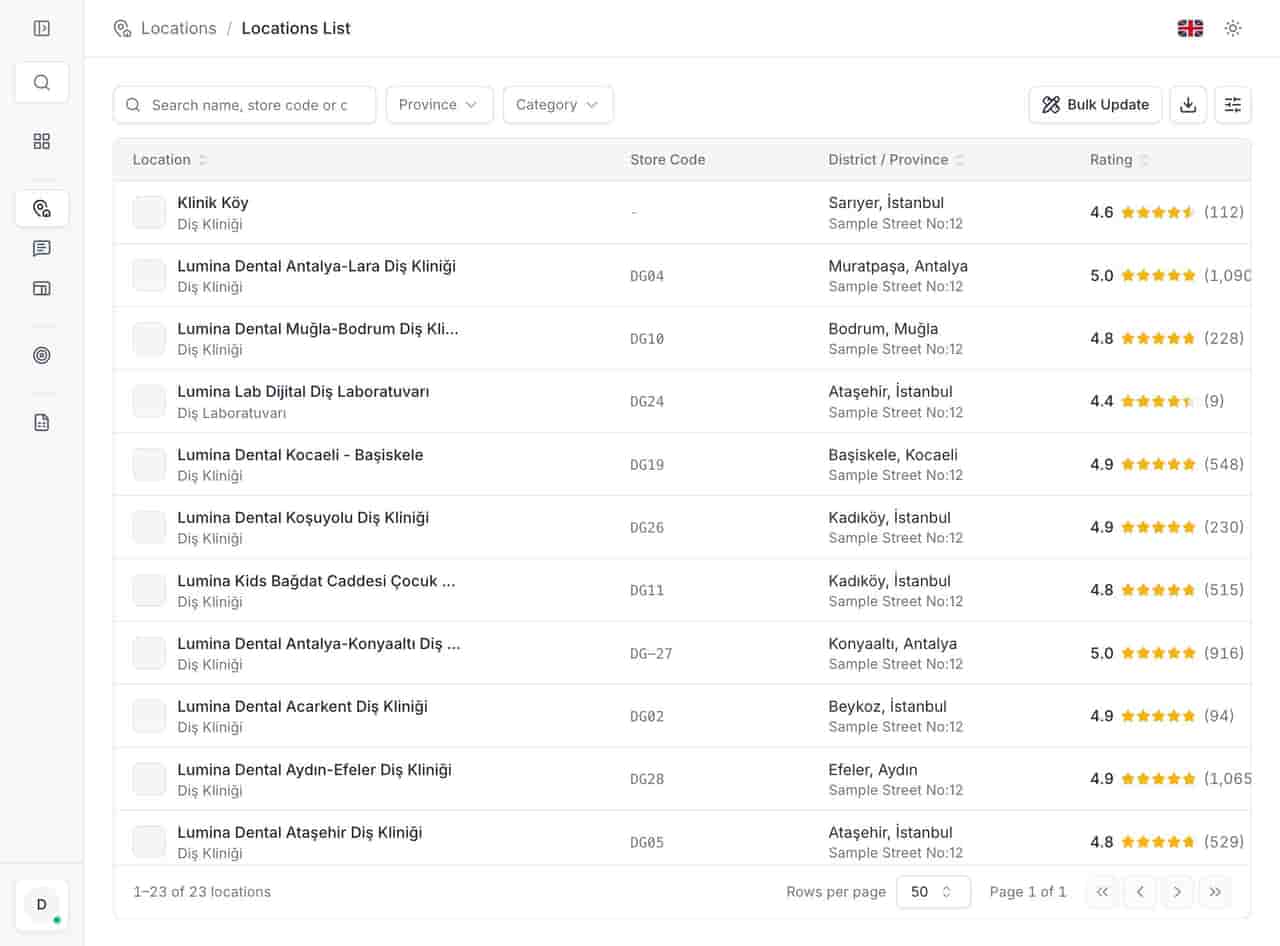
- Reconcile the account against Google. Compare the locations in your workspace with the ones Google shows for the brand. The location list is the side of the comparison you control; anything on Google that is not in it needs a decision.
Merge, close or keep: the decision
There are only three correct outcomes, and choosing the wrong one creates the next duplicate.
| Situation | Correct outcome | What not to do |
|---|---|---|
| Same business, same address, two live listings | Merge into the listing with the most history | Delete the newer one and lose its reviews |
| Business moved, old address no longer trading | Mark the old listing permanently closed, then keep the new one | Leave the old listing "open" because it has better reviews |
| Business moved, old address now another business | Close the old listing and let the new occupier claim their own | Rename the old listing to the new address |
| Rebrand at the same address | Rename and update the existing listing | Create a new listing for the new brand |
| Two genuinely different businesses at one address | Keep both, with distinct names, categories and phone numbers | Merge them to tidy the map |
| A listing you do not recognise and cannot verify | Report it through Google's process | Create a third listing to outrank it |
A merge keeps the reviews and the history; a closure ends the listing but preserves the record. Google decides whether a merge is allowed, and the request needs both listings claimed by the same account. That is the practical reason to claim every listing you find before you need to fix it.
A move checklist that prevents the next duplicate
- Update the existing listing, do not create one. Change the address on the verified profile and complete any re-verification Google asks for.
- Mark the old address closed on the day you leave. Not a week later, not after the lease ends. The day the door closes.
- Change the name in one place, then everywhere. Website, signage, invoices, directories. A profile that is correct while the website is not will be "corrected" by a data provider eventually.
- Tell the regional team which listing is canonical. Store the profile ID and the store code in the same row, so a new manager cannot create a second one by accident.
- Re-run the duplicate check 30 days later. Aggregators and user suggestions arrive after the move, not during it.
- Photograph the new exterior with signage. It is the fastest evidence if a listing is challenged or a duplicate needs to be closed.
Checklist before you request a merge
- Both listings are claimed by an account you control.
- You have confirmed they are the same business at the same address.
- The listing you want to keep has the reviews and the correct primary category.
- The other listing has no genuine reviews you would lose.
- Hours, phone and website are identical on both before the request.
- The request is logged with a date and a reference.
- The store team knows which pin is official.
- A 30-day recheck is scheduled.
Clean map, single history
A duplicate is not a cosmetic map problem. It is two versions of the same business competing for one customer, and the version with less history usually wins the click. The fix is dull: claim everything, pick the canonical listing, merge or close the rest, and check again after every move.
If the duplicate followed a suspension or a rebrand, read the suspension guide before you touch either listing; the order of operations matters. For a retail estate with relocations every quarter, the duplicate check belongs in the same monthly rhythm as hours and reviews.
Questions, answered.
Can I merge two Google Business Profiles myself?
Should I delete a duplicate or mark it closed?
Why did the duplicate appear months after the move?
See how the deleted reviews archive keeps the record, including the reply.
FeaturesKeep reading
Related
Related pages
Features, sectors and reading that share the same work.