



Google Business Profile optimization: 12 checks
Twelve checks that move a profile past completion: category, services, hours, photos, Q&A and the numbers that show whether a change worked.
Last updated:
A profile can be complete and still lose. Every field filled, a score of 100, and the location appears for its own name while the shop two streets away takes the category search. Completion is a state. Optimization is the loop that follows: decide which part of the profile should carry which intent, change one thing, then check whether the decision held.
The twelve checks are the loop. They are not the same twelve as a completeness audit, and confusing the two is why teams spend a quarter on photographs and see no movement in calls. If you have not run the completeness pass yet, do that first with the ten-field checklist.
What optimization means on a Google Business Profile
That definition has a consequence. There is no single optimized profile. A restaurant that wants office lunch trade and a restaurant that wants weekend dinners need different emphasis from the same fields. Optimization starts with a decision about intent, and that decision is local.
Why is completion not optimization?
Completion answers a factual question: is the field filled, and is it accurate? Optimization answers a comparative one: against the other results a customer sees, does this field give a reason to choose this location? A phone number can be correct and still route to a menu nobody answers. A description can be 400 characters and still read like a slogan. The audit passes, the customer leaves.
The practical difference shows up in what you change. Completion work is batch work: one photograph library, one description template, one hours import. Optimization work is selective. You change the primary category for six locations, not sixty, because the rest already match the search you care about.
Which ranking signals can a profile actually influence?
Google's published guidance on local ranking names three factors: relevance, distance and prominence. A profile feeds relevance directly and prominence indirectly. Distance is set by the searcher, and no field moves it.
That split matters when you write a plan. Category, name, services and website shape relevance. Reviews, links, articles and directory mentions build prominence over months. Address, pin and service area decide who is close enough to see the listing.
Which fields drive discovery, and which drive the visit?
Discovery fields are the ones Google reads to match a query: primary category, secondary categories, name, services, products, website and to a lesser degree the description. Conversion fields are the ones a person reads after the listing appears: photographs, hours, attributes, Q&A, posts and the review mix.
Most optimization plans over-invest in conversion because photographs are visible and satisfying to fix. A listing that never appears gains nothing from a better photograph.
Start from the score you already have
The twelve checks assume a baseline. You need to know which fields are empty before deciding which ones to point at a search, and the profile audit gives that in one screen.
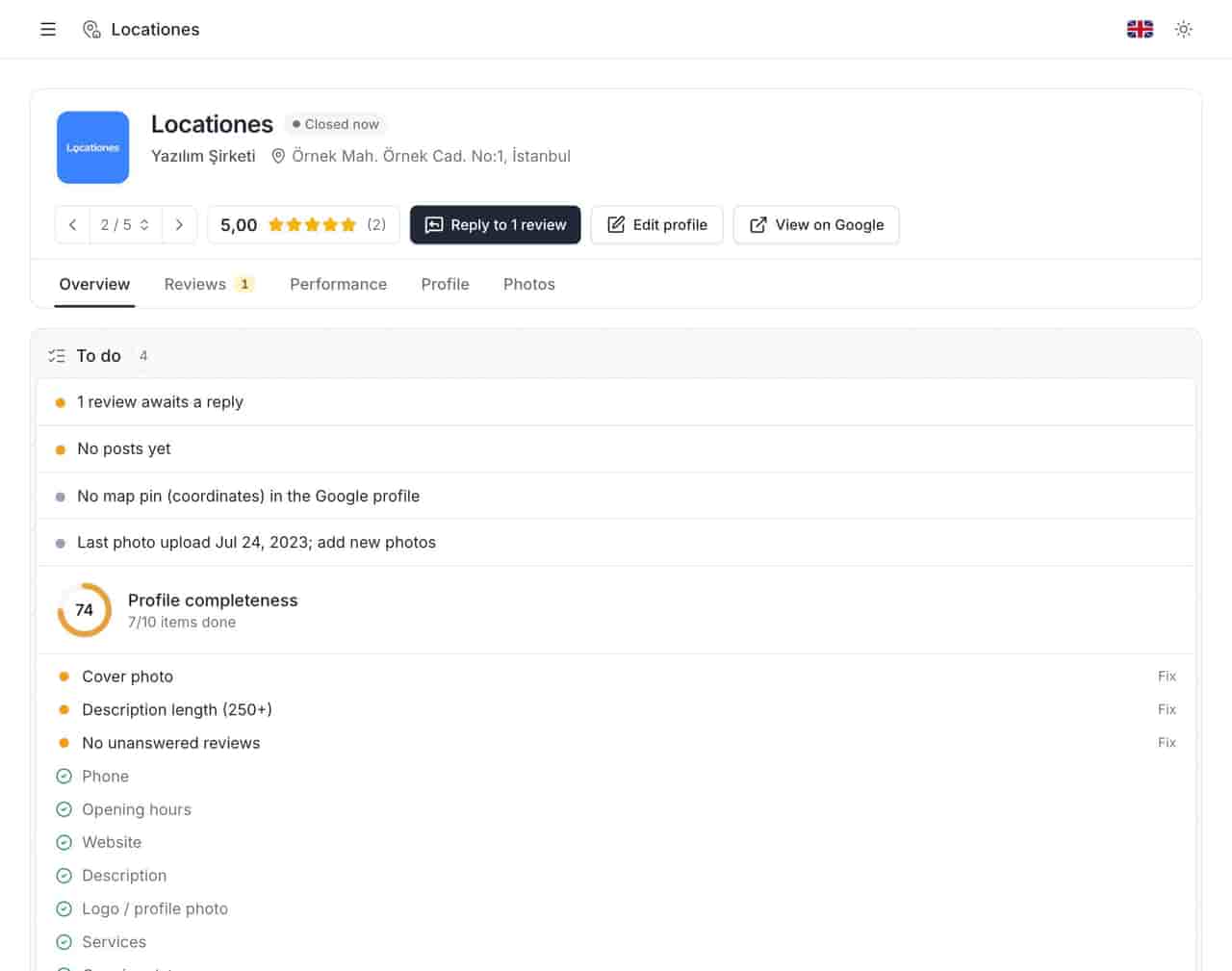
What does the completeness block tell you?
It answers one question per field: is it filled to a standard? In the profile above, seven of ten items are complete. The gaps appear as a list, which is more useful than the score, because each gap maps to a check later in this article. An empty website field is check 9. A missing cover photograph is check 8. Record the score and the date before changing a field; the score cannot see the review mix, the Q&A answers or where the pin sits.
The twelve checks
Each check below answers one question and produces one of three outcomes: keep, change, or test. A check that produces "improve generally" is not a check. Write the answer down with a date, the way you would record a stock count.
1. Is the primary category the phrase customers use?
The primary category is the strongest relevance field a business controls. Test it by typing the category into a map search at the location. If the results are the businesses you consider your real competitors, the category is close. If the map returns a different trade, the category describes your industry rather than your customer's search.
Change it when the mismatch is clear. A category edit can take time to settle, so change one location first, note the date, and watch the query set before rolling it out.
2. Do the secondary categories describe services you sell?
Secondary categories add relevance without replacing the primary one. They should name services a customer can actually book. A clinic that lists a category it refers out creates a mismatch between the search and the door.
Review secondary categories once a year, and after any new service launch. A category that has not been sold in two years is a claim, not a description.
3. Does the name match the sign?
Google's naming rules are strict for a reason: the name field is the easiest place to fake relevance. Adding a city or a service to a brand name may produce a short-term match and a suspension risk that outlasts it. The test is physical. If the letters on the building do not match the name field, the field is wrong.
For multi-site brands, the rule applies per location. A local trading name stays, and a brand branch uses the brand.
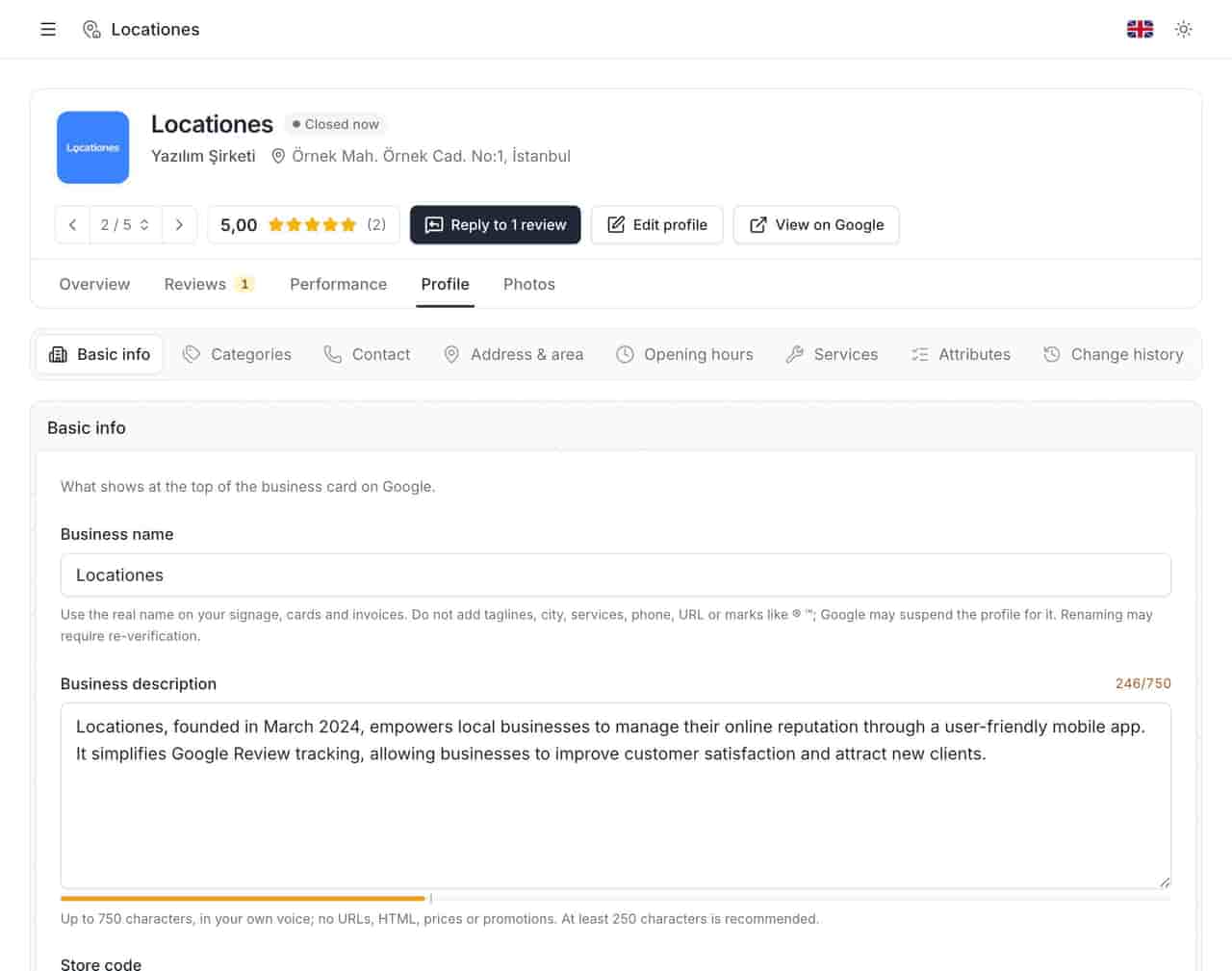
The description beside the name carries the local sentence: what the place does, for whom, and where. Keep it plain.
4. Are services specific enough to be matched?
A service called "consultation" matches nothing. A service called "wisdom tooth removal" matches a query, a price question and a review. Write services in the words customers use, then add a short description with the constraint that matters: duration, eligibility, what to bring.
Products work the same way for retail. A product entry with a real name and a price is a small landing page inside the listing.
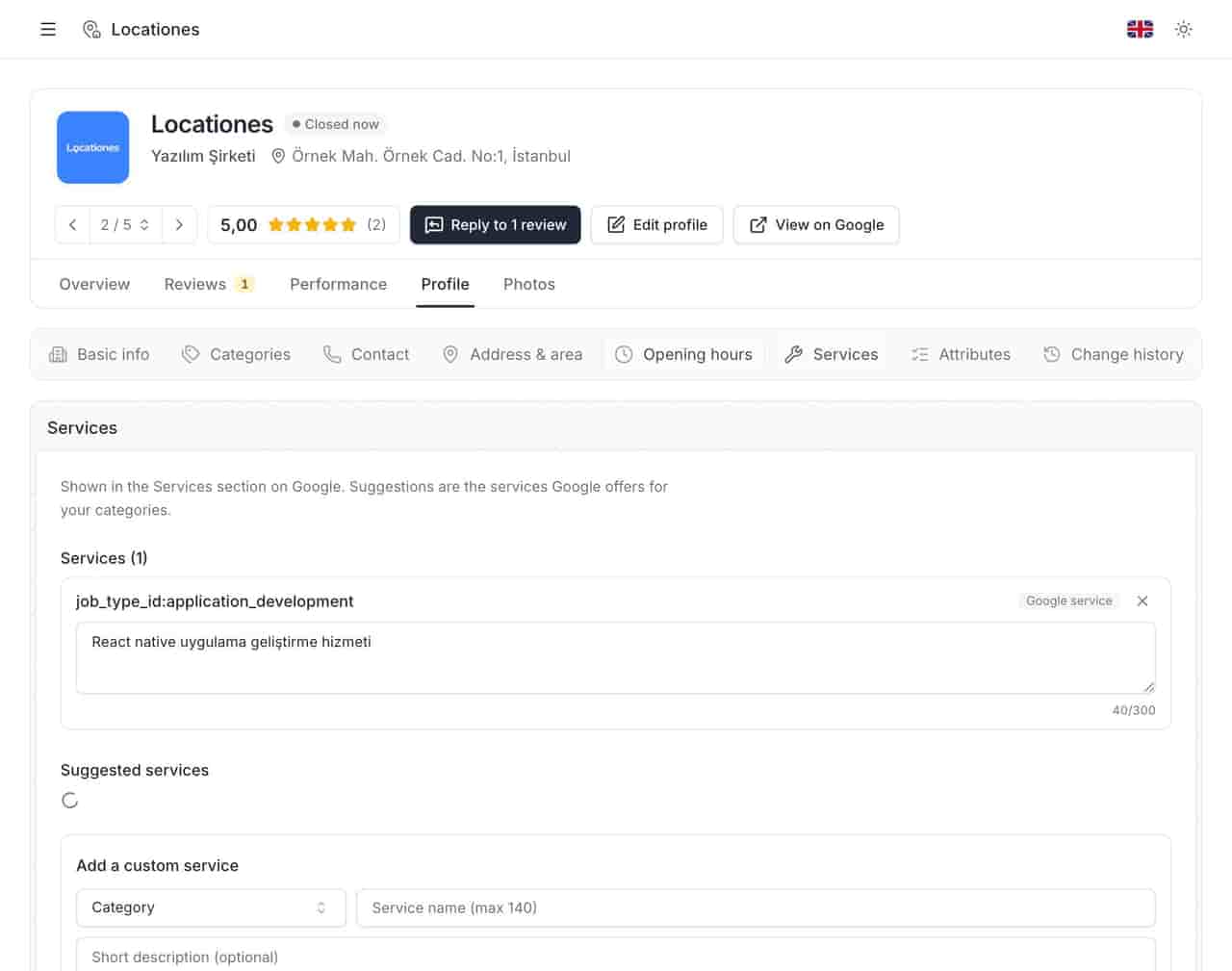
The editor above supports check 4 directly. If a service line could belong to any business in the trade, rewrite it until it names the thing the customer asks for.
5. Do attributes answer the filter questions?
Attributes are the checkboxes customers use to narrow a map: wheelchair access, outdoor seating, card payment, parking. They rarely win a click alone. They lose one when a customer filters for something you have and never claimed.
The rule is simple: claim what is true every day, not what was true at the launch party. An accessible entrance with a locked side gate is not an accessible entrance.
6. Is the pin on the door?
A pin placed at the centroid of a postcode sends customers to the wrong side of a dual carriageway. Drag the pin to the entrance, check it after any move, and confirm the address line matches what a courier would use. A service-area business has two decisions here: pin and area.
This is the cheapest check on the list and the one most often skipped after a relocation.
7. Do the hours include the exceptions?
Regular hours are a baseline. Special hours cover the days that generate complaints: public holidays, stock counts, Ramadan, school breaks, a kitchen that closes an hour before the door. A restaurant whose listed closing time is the door time will collect one-star reviews about being turned away.
Own the exception calendar before the season starts. A special-hours update published on the morning of the holiday is a correction, not a plan.
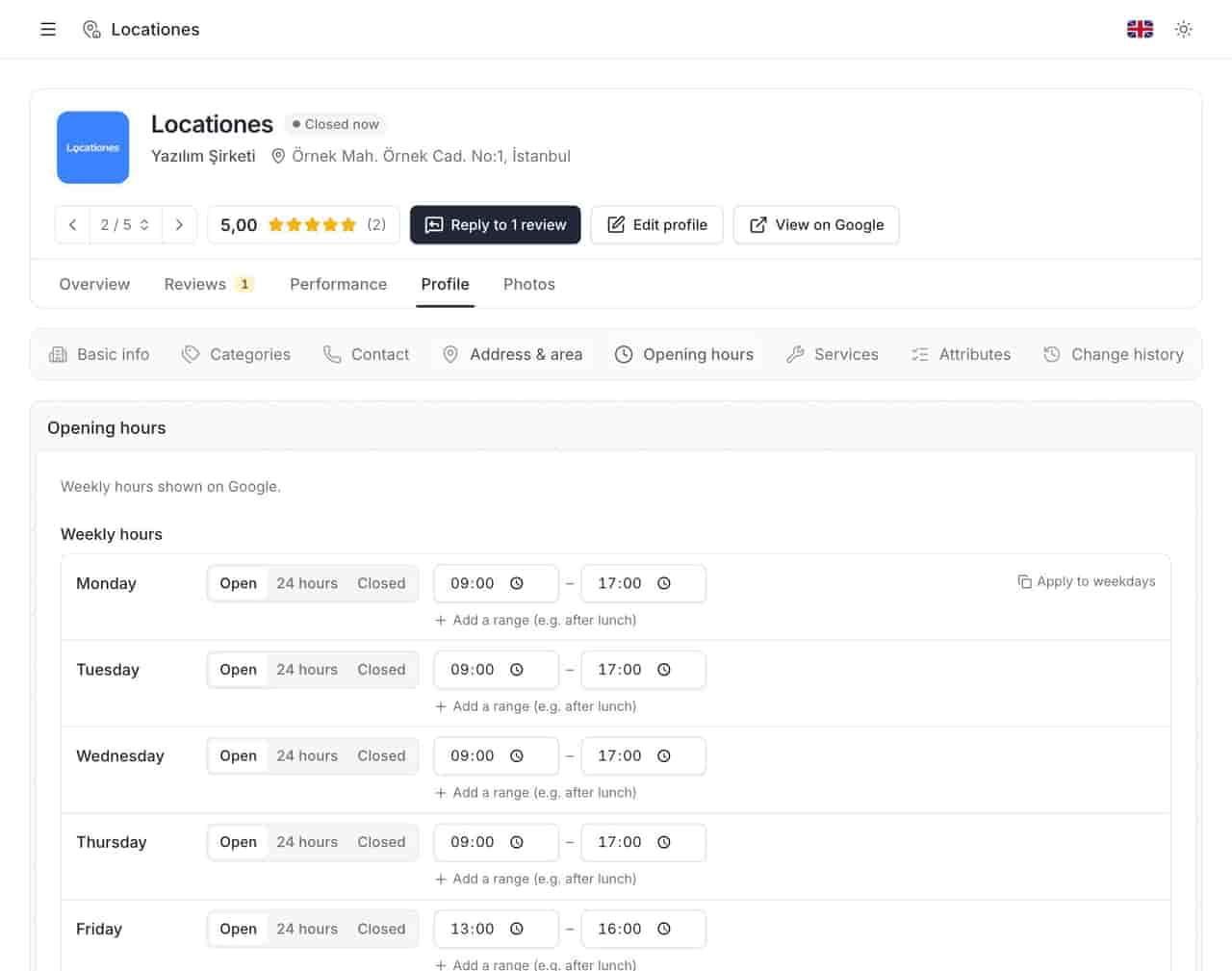
The regular week above is the part customers check most; the exceptions are the part they remember when it goes wrong. Both belong to check 7.
8. Do the photographs show the current room?
The cover photograph is the listing's first impression, and it should show the exterior a customer will actually see, sign included. Interior photographs answer the next question: what am I walking into? Team photographs answer a third: who will I meet?
Refresh on change, not on a content calendar. A new paint job, a new counter, a new terrace and a new menu all date the old set.
9. Does the website link go to the location page?
Every location should link to its own page, with the address, hours and booking action on it. Sending forty stores to a homepage forces the customer to find their branch twice.
Add tracking parameters where your analytics needs them, then check the link resolves on a phone. A redirect chain that ends on the homepage undoes the work.
10. Does the Q&A section answer pre-visit objections?
Questions on a listing are public, and anyone can answer them. That includes a customer with a grudge and a competitor with spare time. Seed the questions the counter hears weekly: parking, access, waiting times, what to bring, walk-ins.
Answer in plain sentences and date the answer when a policy changes. A question from eight months ago is still the first thing a cautious customer reads.
11. Do posts carry a dated offer?
Posts are not a feed that builds an audience. They are a small panel that shows recency and gives a reason to act now. A post with a date, a price and a clear next step does that job.
Tie the cadence to real events: a new menu, a seasonal service, a local holiday, a hiring push. Two useful posts a month beat eight announcements.
12. Do recent reviews mention what you want to be found for?
Review text is read by customers and by systems that summarise a place. You cannot choose what a review says. Ask customers only to describe their experience; do not request a particular sentence, service name or rating. Google prohibits that.
How to sequence the twelve checks
Which checks come first for one location?
Start with the three that block a visit: pin, hours, website link. They are cheap, and a wrong one costs a customer today. Then the two that decide whether the location can be found: primary category and services. Photographs, attributes, Q&A and posts come after.
Review text sits outside the sequence. It accumulates on its own schedule, and the response queue runs weekly.
Which order works across an estate?
Across twenty or more locations, work by field, not by store. Change the website link for every location in one pass, verify, then move to hours. Field-by-field batches are easier to diagnose when something breaks, and they produce a comparable before-and-after for the whole estate.
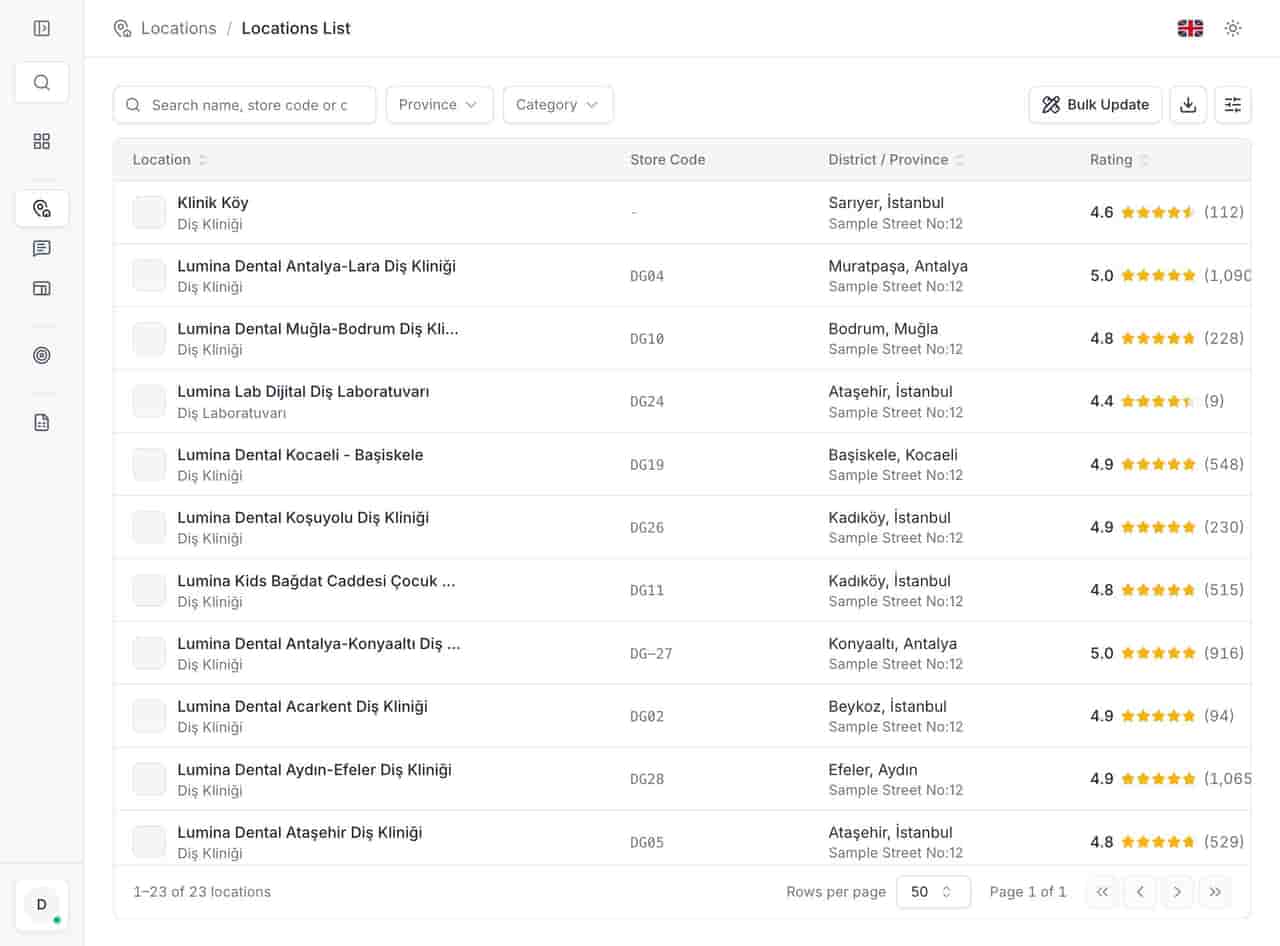
The exception is a structural problem: a move, a rebrand, a suspension. Fix that location end to end first.
When should a check be repeated?
| Check | Signal it feeds | Owner | Repeat |
|---|---|---|---|
| Primary category | Relevance | Brand or local marketing | Annually, or on a new service |
| Secondary categories | Relevance | Local marketing | Annually |
| Name | Relevance, compliance | Brand | On rebrand only |
| Services and products | Relevance, conversion | Location manager | Quarterly |
| Attributes | Conversion, filters | Location manager | Quarterly |
| Pin and address | Eligibility, directions | Operations | After any move |
| Hours and exceptions | Conversion, trust | Operations | Before every holiday |
| Photographs | Conversion | Local marketing | On physical change |
| Website link | Conversion, attribution | Marketing ops | Quarterly, and after a site migration |
| Q&A | Conversion, trust | Location manager | Weekly |
| Posts | Recency, action | Local marketing | Monthly, tied to offers |
| Review mix and replies | Prominence, trust | Location manager | Weekly queue, monthly read |
A check with no owner is a suggestion. Use the table as an assignment sheet.
How to measure whether the work landed
Which number moves first?
Impressions usually move first. A category or service change can put a location in front of broader queries, which raises impressions while the click rate falls. That is a wider funnel, and it needs a conversion field to catch it.
Look at the pair together. Impressions without a later rise in direction requests or calls means the listing is being seen by people who are not ready to visit.
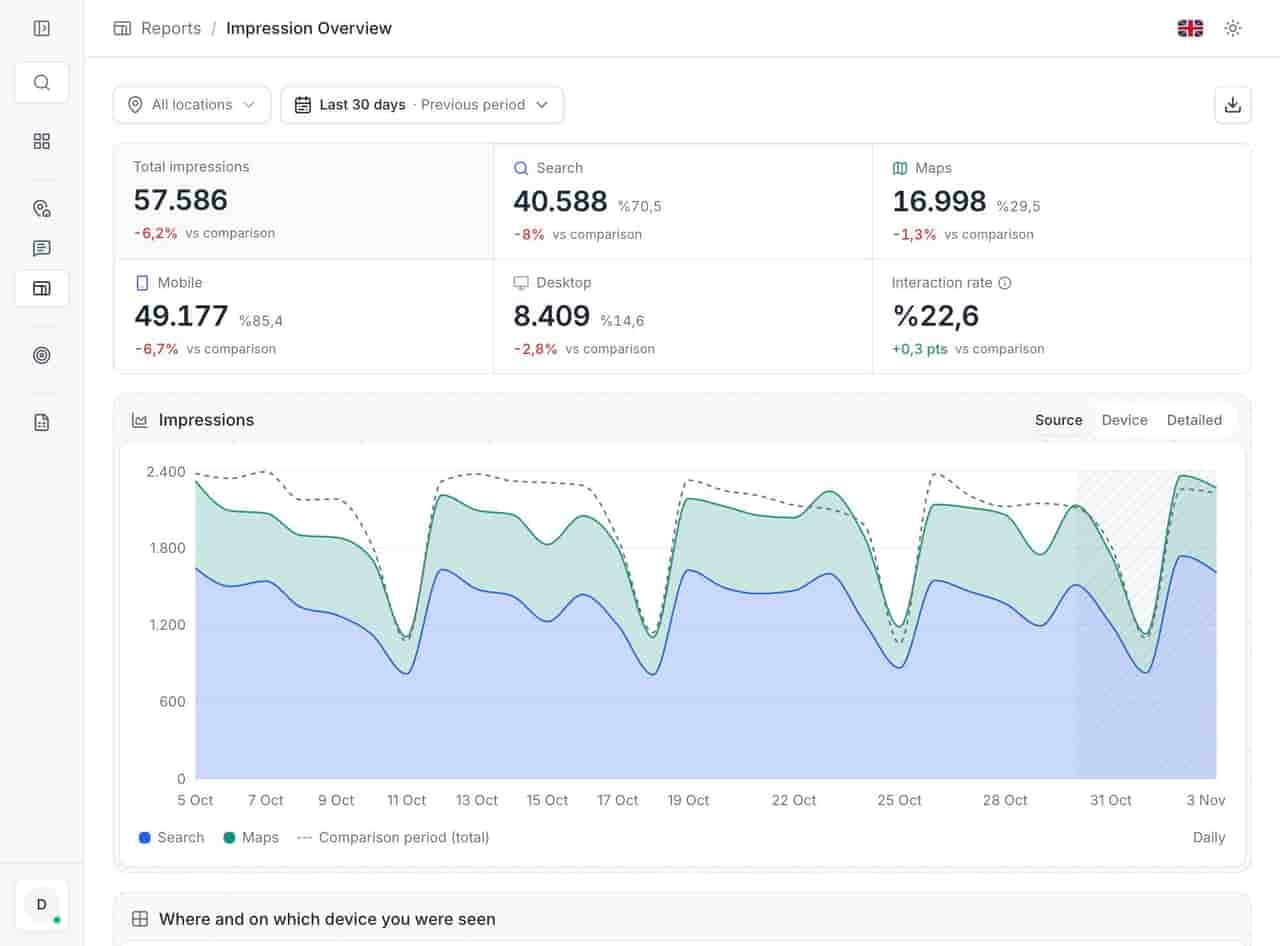
Why can impressions rise while calls fall?
Two common causes. The listing began appearing for queries outside its trade after a category change. Or a competitor appeared with a stronger offer, which your own numbers cannot show.
How do you separate discovery from brand?
Split the query set. Brand queries contain your name and measure loyalty. Discovery queries describe the need and measure reach. A location can grow brand impressions while losing discovery share.
What does a grid add?
A single rank number describes one point. A grid samples positions around the location, which shows the shape of visibility: strong at the door, weak three streets north, gone beyond the river.
A local rank tracker records the keyword set and the position per location, and the map view makes the weak side of a district visible before a customer complains.
What should be recorded before the edit?
Record the date, the field changed, the old value, the new value and the query set you will judge it by. Without the old value, a later argument about whether the change helped has no evidence.
Where optimization goes wrong
Why does a keyword in the name backfire?
It can produce a match and a suspension in the same quarter. A suspended listing loses calls, review visibility and staff time, and reinstatement is not a schedule you control. The short-term gain is smaller than the risk.
Why do bulk edits hide the cause?
A bulk edit changes forty locations and one variable, which sounds clean until results move in two directions. You cannot tell whether the category helped the city stores and hurt the suburban ones. Test on a small matched group first.
Why is a perfect score not a ranking?
The score measures whether the fields meet a standard. Ranking also depends on distance and on prominence built outside the profile. A hundred-out-of-hundred listing across the road from a competitor with better reviews and more local mentions can still lose the map.
When is a low score the honest answer?
When the location genuinely lacks the thing the field asks for. A business with no parking should not claim parking to gain a point, and the customer discovers the gap at the door.
The twelve-check control list
- Primary category tested against a map search in the district.
- Secondary categories match services that can be booked.
- Name field matches the sign, letter for letter.
- Services written in customer language, with a description each.
- Attributes claimed only where true every trading day.
- Pin sits on the entrance, checked after the last move.
- Special hours published before each holiday period.
- Cover photograph shows the current exterior and signage.
- Website link opens the location page on a phone.
- Q&A seeded with the five questions the counter hears weekly.
- At least one dated offer live in the last thirty days.
- Reviews from the last quarter name the priority service.
- Negative review queue has a named owner and a weekly slot.
- Every change logged with date, old value and judging query.
Give the loop an owner
Optimization is not a launch. It is a few decisions, repeated on a schedule, with a name against each. The twelve checks are narrow on purpose: a location manager can finish them in a morning, and a regional manager can compare forty locations on one page.
The website link and the hours pay for the exercise quickly; the rest compound. For a restaurant estate, the restaurant guide shows the hours and photograph checks under a menu calendar. Multi-location management applies the field-by-field batches, and the profile audit returns the score and the next fix.
Questions, answered.
Does a higher completeness score improve ranking?
Which check should a single location fix first?
How often should the twelve checks run?
See how the deleted reviews archive keeps the record, including the reply.
FeaturesKeep reading
Related
Related pages
Features, sectors and reading that share the same work.