



What a Google Business Profile actually controls (and what it doesn't)
A Google Business Profile controls listing fields, not rankings. A plain guide to what it does, what it does not, and why 50 locations are a different job.
Last updated:
Most local visibility problems start with a wrong idea of what the profile is. A team treats it like a website, spends a week on the description, and then wonders why the map pin has not moved. Or it treats it like an ads account and expects spend to buy position. Neither is how it works.
A Google Business Profile is a listing, not a page you design and not a ranking product you buy. Knowing exactly where its power stops is what makes the work useful: you stop editing fields that cannot help and start fixing the ones that can. This guide separates the two, then shows where the boundary bites hardest — between one location and fifty.
What is a Google Business Profile?
You claim it, verify it and keep it accurate; Google decides how it appears. The profile is an input to Google's systems, not a control panel for them.
What the profile actually controls
The fields are ordinary. Their effect is not: Google reads the same fields when it picks the three businesses for "dentist near me" and when it describes one in an AI answer.
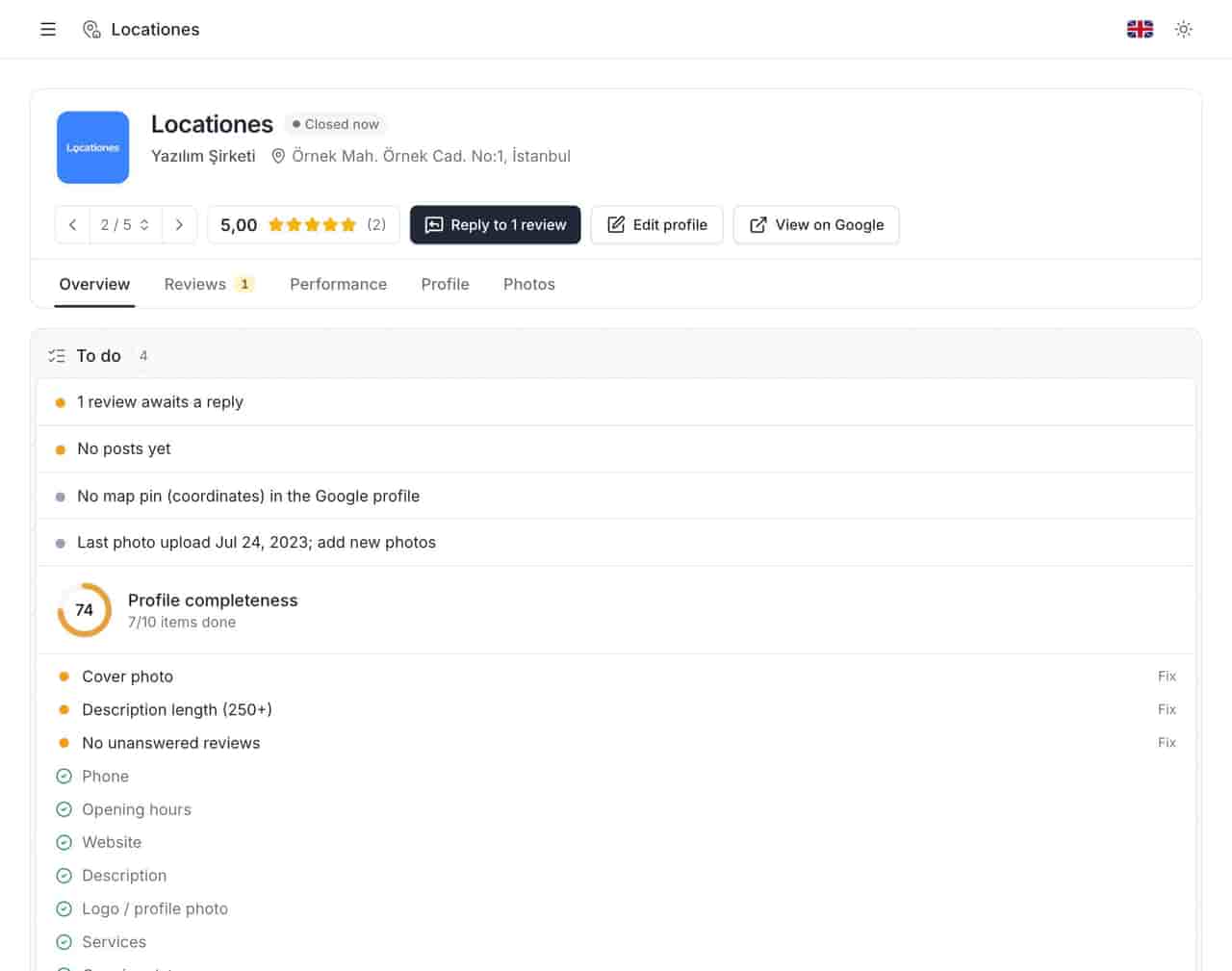
The fields customers read
- Name — the real-world name, not a keyword string. Adding "Best London Plumber" to a name breaches Google's guidelines and invites an edit or suspension.
- Primary category — the single strongest relevance signal you control. Secondary categories add context; they do not replace the primary one.
- Address or service area — where you are, or where you travel. A mismatch between the profile and the premises is a common cause of problems later.
- Hours and special hours — including holidays, and including the difference between "closed" and "hours unknown".
- Phone and website — the two actions most customers take before they ever walk in.
- Photos, logo and cover — evidence that the place exists and looks like the place they expect.
- Description, services and attributes — what you do, in your words, within Google's field limits.
- Posts — temporary updates, offers and events that sit on the listing for a limited time.
- Reviews and replies — customers write them, you answer them, Google publishes both.
The signals Google reads
Google's own guidance on local ranking names three factors: relevance, distance and prominence. Relevance comes largely from the category, name, services and the rest of the profile. Distance is set by where the searcher stands and cannot be edited. Prominence is built from reviews, ratings, citations, links and general evidence that the business is known — much of it outside the profile.
That split is the useful part. You can improve relevance directly, influence prominence slowly, and do nothing at all about distance. Any tool or agency promising to fix the third one is selling something they do not control.
What it does not control
Position in the map pack
No field guarantees a place in the top three. A complete profile is a baseline, not a ranking. Two identical businesses a hundred meters apart can rank differently because distance decides part of the outcome. This is why a profile score of 100 and a first-place position are separate achievements.
Which reviews stay
You can reply to a review and you can flag one. You cannot delete it, reorder it, or stop Google from removing a review it decides breaches policy. Replies are public, editable and capped at 4,000 characters. A review that vanishes was Google's decision, not a settings change you missed.
What competitors are doing
You can read a competitor's public rating, review count and posts. You cannot see their impressions, their calls, their direction requests or the keywords they track. Any competitor benchmark built on public stars is a comparison of outcomes, not of effort.
What an AI assistant says
AI Overviews and chat assistants summarize from many sources, and the profile is one input among them. There is no field that guarantees your location appears in an AI answer. Consistent public facts — name, address, hours, category, services — give those systems something reliable to quote. Inconsistency gives them a reason to skip you.
One location and fifty locations are different jobs
A single profile is a weekly habit. Fifty profiles are an operation with owners, exceptions and a paper trail. The fields stay the same; the failure modes change completely.
| Dimension | One location | Fifty locations |
|---|---|---|
| Who edits | Owner or store manager | Head office, regional managers, sometimes an agency |
| Hours changes | One edit, same day | Bulk update plus per-store exceptions |
| Review volume | A handful a week | Hundreds a month, often in several languages |
| Typical failure | An empty field nobody notices | A closed or duplicate listing left for months |
| Reporting | A screenshot in a chat | Comparable metrics for every store, one date range |
| Access | One login | Per-user permissions and a record of who changed what |
The mistake multi-site teams make is scaling the single-location habit: more people, more tabs, same process. Fifty locations need a store code, a weekly queue, a named owner for each field and a way to see which store is broken before a customer reports it. That is a different article, and a different set of tools — multi-location management covers the mechanics.
A retail chain makes the point concrete. Seasonal hours arrive from head office, but the store that opens late on a bank holiday is a local decision. Without a shared list, both edits look identical in a spreadsheet cell, and nobody can tell which one actually reached Google. The same pattern appears in clinics and veterinary practices, where opening hours are part of the service promise, not a convenience.
Where to start: a four-step check
- Count the profiles you actually have. Search the brand name and every trading name in Maps. Include closed sites, old addresses and locations added by a well-meaning manager. Duplicates split reviews and confuse customers; find them before you optimize anything.
- Audit the ten fields that carry the most weight. Cover photo, description of at least 250 characters, opening date, phone, hours, website, logo, services, primary category and unanswered reviews. A profile audit turns those ten into a score and a fix per gap.
- Name an owner for each field. Hours belong to operations, descriptions to brand, replies to the store or the regional manager. Shared ownership is how a field stays empty for a year.
- Measure before you change. Record impressions, calls, direction requests and website clicks for 30 days. Without a baseline, every later change is a story rather than a result. Local rank tracking adds position data for the keywords that matter per location.
What not to do in the first week
- Do not add keywords to the business name. It is the fastest way to invite a suspension and the hardest edit to undo.
- Do not bulk-edit every location at once. Select the stores that share the change, then re-audit to see where it landed.
- Do not reply to a negative review while you are still angry. The reply is public and permanent enough to matter; the rules and templates are a better starting point.
- Do not judge the work by star rating alone. A 4.8 with no replies and a 4.8 with every complaint answered are not the same business.
The boundary is the point
A Google Business Profile controls what customers read and what Google can confidently repeat about a location. It does not control distance, rankings, review removal or an assistant's summary. Teams that know the boundary spend time on fields that move and stop paying for those that do not.
Once the profile is accurate, the next problem is usually scale: keeping fifty of them accurate on the same day. That is where a list with store codes, a weekly queue and an audit trail earns its place — see managing multiple locations without a spreadsheet.
If you want to see where your own profiles stand, connect one Google account and run the audit. It takes a few minutes, and the gaps are usually visible before the first report.
Questions, answered.
Is a Google Business Profile free?
Does a complete profile guarantee a higher ranking?
Can I delete a review from my profile?
See how the deleted reviews archive keeps the record, including the reply.
FeaturesKeep reading
Related
Related pages
Features, sectors and reading that share the same work.